Player-only notice:
PureFusionIPTV is a media player only. It does not provide, sell, host, stream, or include
TV channels, playlists, subscriptions, movies, TV shows, or IPTV service. Users must supply
their own legally authorized media sources. PureFusionIPTV is not affiliated with IPTV
providers or playlist sellers.
Beta Access
Open Beta — Google Play Open Testing
PureFusionIPTV is now available through Google Play Open Testing. Anyone eligible through Google Play can join — there is no invite list and no approval step.
Now: Open Beta — Join on Google Play
The Open Beta expands testing across more Android TV, Google TV, NVIDIA Shield, and compatible Android devices, and across more providers, playlists, EPG feeds, audio formats, and caption services before the full production release.
Check the Google Play listing for the build currently offered. Google Play rolls each build out gradually, so a new release may take some time to appear for every tester, and availability remains subject to Google Play device and country support.
Reporting Issues
Beta software may still contain bugs. Testers are encouraged to report issues through the built-in Support & Diagnostics tools in PureFusionIPTV, or through the Discord community.
Beta announcements, release notes, and development updates are posted in the community. The full public release is planned for January 6, 2027 — Open Beta is not the final production release.
Current beta — released
Current release: 2.0.0-Beta-31 (Build 85)
Beta-31 (Build 85) has been released to Google Play Open Testing. Availability may vary during rollout; check Google Play for the build offered to your device.
Startup, Guide and Local Network Sync
Startup and Guide resource/query optimizations preserve playback ownership. Local Network Sync recovers lost/empty discovery sessions and rejects stale callbacks. TV acceptance remains required.
Clearer Backup & Restore
Open Settings → Sync, Backup & Restore → Backup & Restore. Create and Restore remain separate, and password fields start hidden.
Safer recovery and more control
Full portable v6 backups serialize from a private database snapshot with durable restore recovery. Premium enables full/remote/scheduled backups. Incremental Backup remains disabled.
Google Drive: configuration required
Unconfigured builds remain unavailable Preview. Configured builds expose native encrypted Drive backup after Premium and authorization checks. Production OAuth approval and real-account recovery remain unverified.
Earlier release history
Earlier release: 2.0.0-Beta-29 (Build 83)
Beta 29: Addresses a startup crash reported on NVIDIA Shield, fixes a TV Guide crash on very large channel lists, makes Local Network Sync copy working playlists, and replaces Android’s system popups with themed on-screen messages. It also carries the Beta 28 Multi-View, app-exit and Guide updates.
Build 83 is retained here as release history. Check the Play listing for current availability; releases roll out gradually, so it may not appear for every tester at the same time. Earlier open-beta notes, including Beta 27 and Beta 25, stay listed below.
What’s new in Beta 29: Startup fix for Google Play services
The Beta 28 release build sent Google Play services renamed interface names. That is the cause behind a startup crash reported on an NVIDIA Shield TV Pro after a factory reset. Beta 29 keeps those names intact and updates Play services Basement to 18.12.0. Confirmation on the Shield that reported the crash is still pending.
What’s new in Beta 29: A steadier TV Guide
The Guide no longer crashes on very large channel lists while a sync is running. It keeps your browsing category, such as Favorites, after the app restarts. An interrupted guide download can no longer save a partial guide, and its retry reason stays visible.
What’s new in Beta 29: Local Network Sync copies working playlists
Copied playlists keep their logins, several accounts on one provider stay separate, and appearance, volume and navigation settings carry over. Transfers are encrypted with the pairing key. Both TVs need Beta 29.
What’s new in Beta 29: Themed on-screen messages
App messages follow your theme instead of Android’s system popups and avoid covering player controls and captions. A new Notifications setting chooses All, Important Only or Off; Important Only keeps routine background updates quiet.
What’s new in Beta 29: Playlist settings built for the TV
Playlist rows in Settings are larger and readable from the couch, and Up/Down stays in the same column. The Edit Playlist buttons fit on a TV, Test Connection can be cancelled, and passwords hide again when you leave the field.
Also In Beta 29: The Beta 28 Updates
Multi-View Auto Audio Rotation and a Guide-style Multi-View channel picker, Multi-View screens that recover on their own, an app exit that stops playback for good, and a Guide that reopens where you were browsing.
What’s new in Beta 27: Full MAG and IPTVEditor stream links
Live and movie links that an older build stored as a 64-character cut are repaired after a complete catalog refresh, and playback no longer treats that cut as a healthy address. A later Movies or Series failure does not undo a Live repair that already finished. Existing affected playlists pick this up during a normal playlist refresh.
What’s new in Beta 27: IPTVEditor portal playback
Improved MAG / STB Portal compatibility, including IPTVEditor. IPTVEditor catalogs can play Live TV and movies from the portal’s own stream commands, including inline TV episode commands. This does not mean every MAG or Stalker provider is supported. Standard MAG / STB Portal behavior remains separate from IPTVEditor.
What’s new in Beta 27: One playlist, one guide refresh
Refreshing a single playlist updates only that playlist’s linked guide sources. A playlist with no linked guide does not start a global guide download. Update EPG and the regular schedule still update every eligible source.
What’s new in Beta 27: OpenSubtitles account sign-in
Sign in with an OpenSubtitles.com account for Movies and Series subtitles. PureFusion supplies its application API key automatically. An optional custom key can still override it, and a custom key stays on the device.
What’s new in Beta 27: Passwords stay off the screen
Portal, Xtream, and other addresses that contain credentials are masked in the app and in diagnostics.
New in Beta 25: TV Guide Updates Work Again
In recent Google Play builds a TV Guide update could be accepted and then stop before downloading anything, leaving the Guide at “Never updated” with 0 programmes. Guide updates now download, import and save normally — verified on a real Android TV device running the release build.
New in Beta 25: Guide Updates Recover On Their Own
An update interrupted by the app closing or the TV restarting continues or starts over by itself, and a stalled update no longer blocks the next one. Update EPG says “started” only when an update is really running and tells you when it could not start one. Clear EPG Data and Reset EPG stop guide work first, so nothing refills what you cleared.
New in Beta 25: Series Open Their Details
Choosing a series from Home, the Shows grid, Search, My List, voice or the Guide opens Series Details instead of starting Season 1, Episode 1 — and the OK press that opened it can no longer start playback on its own.
New in Beta 25: A Home For Movies And Shows
Movies and Shows open on Continue Watching, My List, Recently Added and Recently Watched — plus New Episodes & Seasons and Continuing Series for Shows — followed by your provider's categories. Details open instantly and fill in as information arrives, with Resume, Up Next, Watched and New marked on episodes.
New in Beta 25: On-Demand Playback Controls
Rewind 10 seconds, forward 30 seconds, subtitles, audio, in-player info, playback speed from 0.5× to 2×, and next or previous episode with an episode list — all reachable with the D-pad while the video keeps playing.
New in Beta 25: Program Details In The Guide
A programme's details show artwork, progress for what is on now, and actions: Watch Live, recording, and — when the programme is also in your Movies or Shows library — Start From Beginning or open its details.
Also In Beta 25: The Fixes From Beta 24
Beta 24 was halted before it reached every tester, so its fixes arrive here: Global Search shows TV Guide programmes again, the Guide remembers your category, UK Freeview channels start reliably, very large playlists add on more TVs, and dialog choices are visible again. Deleting a playlist and Factory Reset now also finish cleanly.
The Guide Reaches The End Of A Category Beta 22
Scrolling down a large category could stop short of its last channel, with the rest only appearing after you switched away to another category and came back. The Guide now tracks how many rows it has actually published separately from how many are on screen, reconciles the difference, and takes you to the real end of the category the first time.
Movies And Series Open Almost Immediately Beta 22
Opening either section used to wait on counting and building the entire catalogue first. It now loads the first screen plus roughly two screens ahead, pages the rest in as you scroll, and works out the exact total afterwards instead of holding you up for it. On a development emulator that took entry from about 8.8 seconds to about 0.7–0.8 seconds; your own result depends on your device and how large your provider's catalogue is.
Focus Details Sized By Its Content Beta 22
The Guide's floating details panel used to cut long descriptions at a fixed number of lines and never grow past half the screen. It now sizes itself to what it is showing — compact for a short description, larger for a long one, up to the safe limits of your screen — so a full provider description is shown whenever it physically fits. Resizing it never shifts the Guide rows underneath.
Voice Search Built For A Remote Beta 22
The microphone moved out of the text field and sits to its left as a full-size circular control, because an icon inside a text field is not something a D-pad can aim at. Moving between the microphone, your query and the clear control is now predictable in every direction, and cancelling voice input keeps whatever you had already typed.
Switching Playlists Keeps Your Search Beta 22
Changing the playlist a search covers used to re-run the whole thing against the database. It now re-filters the results already in memory, so there is no blank screen, no loading flash and no lost query. Results from a search you have already moved on from are discarded rather than appearing late.
Steadier Playback And Background Upkeep Beta 22
A leftover first-run setup screen could still interfere with the current screen's player and video surface; playback now has a single, explicit owner. Routine database upkeep that clears leftover programme data used to scan the whole table inside one write, worst of all on a healthy database — it now works through it in small resumable steps, so it cannot hold the database against what you are doing.
Live TV Stability Beta 21
Background Guide updates and routine database upkeep step aside as soon as playback is struggling and resume exactly where they left off once it is steady. Adaptive buffering recovery — switching a repeatedly rebuffering channel to a larger, steadier buffer — was being discarded in some cases and now holds properly.
Deeper Playback Diagnostics Beta 21
Stats for Nerds shows engine state, buffer depth, rebuffer count and duration, link estimate, how long since data last arrived, bitrate, load errors, the active buffer profile and what background Guide work is doing. Enough to tell a struggling connection apart from a busy device — read-only, and scoped to the channel actually on screen.
Play Trials and Entitlement Safety Beta 20
Eligible Google Play users can start 7-day Premium trials on Monthly or Annual plans, with Google-provided trial duration, localized recurring price and final purchase agreement. The app also requires explicit renewal acknowledgement before opening the Play purchase sheet.
Display, HDR and HDCP Information
Stats for Nerds also reports the current output resolution and refresh rate, what the display says it supports, HDR capability and state, wide colour, and the HDCP level — each shown only when Android and the device actually expose it. HDMI protocol version and TMDS/FRL link state are never guessed, so they are omitted rather than invented.
Live TV Playback Reliability
Many live streams report a content length, which made the player's finite-media “playing past the end” safeguard raise an error about a minute into a channel that was playing perfectly. Live playback is now excluded from that one safeguard, while Movies, Series, recordings and Catch-up keep it. Every other stuck-playback check is unchanged.
The Fullscreen Clock Now Appears
The optional clock added in Beta 18 could stay hidden for a whole session because it was told the app had started before it existed to hear it. It now tracks the app's state itself, so enabling it from the Actions Bar shows it immediately — and it still hides behind the Guide, menus and dialogs.
Tracks Grouped By Type
The Tracks popup now groups its entries under headings — audio, subtitles and caption services, and subtitle tools — instead of one flat list, so a stream carrying several audio tracks and several caption services stays readable from the couch.
Expanded Crash Diagnostics
Decoder and format changes are now recorded durably, so a report from a crash Android never hands to the app still says what was playing and what was decoding. This makes future reports far more actionable — it is not a claim that the intermittent onn 4K Pro playback crash is fixed. That is still under investigation.
Redesigned Live TV Actions Bar Beta 18
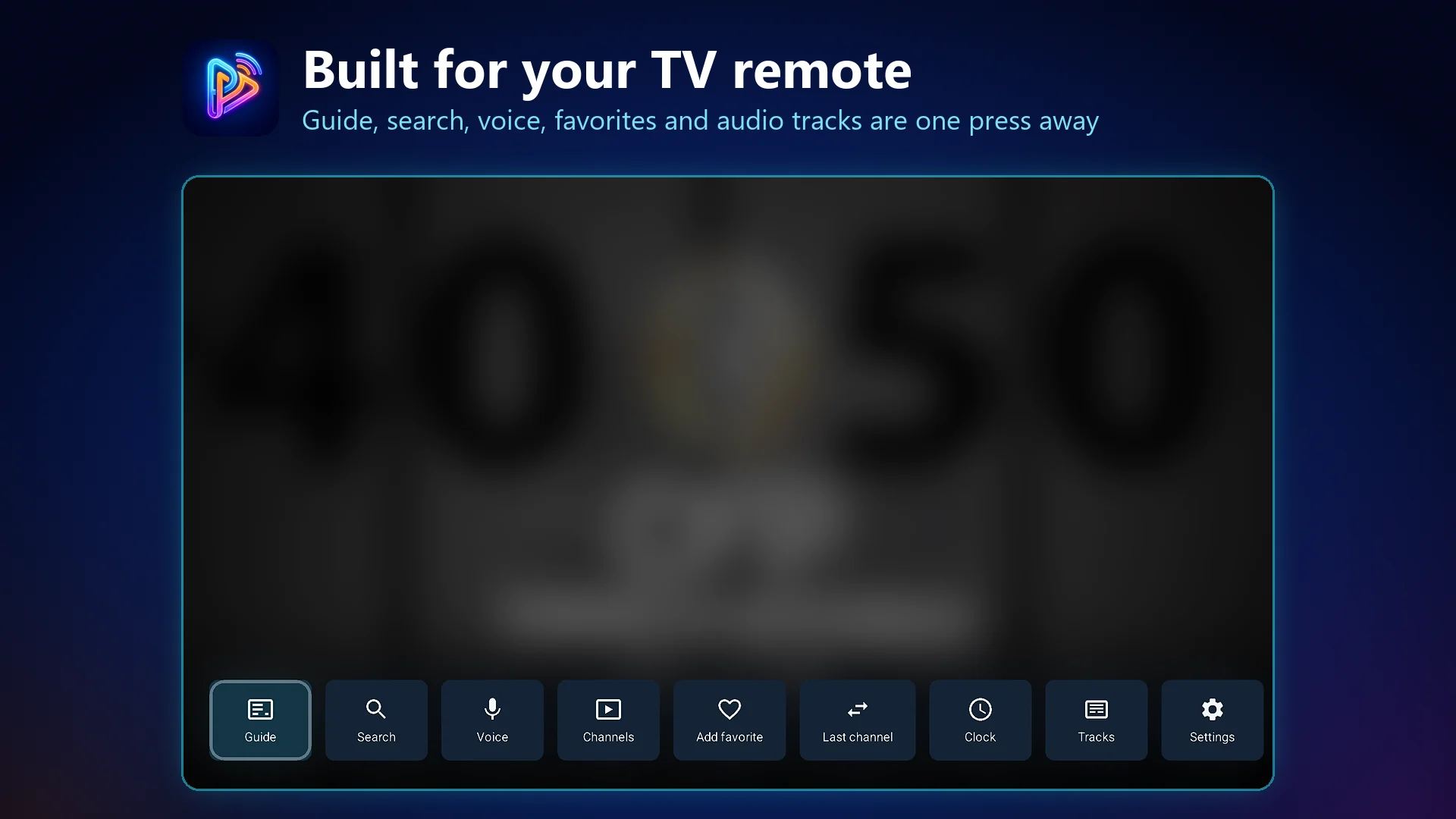
The Actions Bar is now eight direct buttons — Guide, Channels, Favorite, Last Channel, Clock, Tracks, Settings and More. Settings is one press away, and lower-frequency tools moved into More so the bar stays quick to scan from the couch.
Optional Fullscreen Clock
A clock can now be shown during fullscreen Live TV, toggled straight from the Actions Bar. It follows your device's 12/24-hour setting and time zone, and updates immediately when either changes.
Tracks In One Place
Audio tracks, subtitles and caption services now open from a single Tracks button, with caption appearance settings alongside them. Which tracks and services exist still depends on the stream and your device.
Actions Bar Popups Close With The Bar
The Tracks and More popups no longer stay on screen after the Actions Bar times out, and navigating inside a popup keeps the bar open instead of letting it expire underneath you. Back still returns you to the button you opened it from.
Catch-up and Archive Handling
Catch-up eligibility is now decided one way everywhere, so the Guide only offers a past program when your provider's archive can actually serve it. Archive playback keeps its position instead of jumping to live, provider time zones are applied correctly, and playlists that describe catch-up in ways PureFusionIPTV cannot verify are declined rather than failing mid-playback. Catch-up availability and depth are set by your provider.
Fewer False Crash Prompts
PureFusionIPTV no longer asks you to send a crash report after a launch that did not crash, and an already-approved report that could not upload stops re-asking. Genuine crashes and app-not-responding events are still detected and still offered for reporting, with better diagnostic detail.
Channel Bar Logos
Channel logos retry on their own after a slow or failed load, so the Channel Bar fills in without needing to be closed and reopened. Logos a provider does not actually host are given up on cleanly instead of retried forever.
Recent Channels: Remove and Clear
Removing a single channel from the Channel Bar's recent list, and Clear recent, now both stick — including after the bar is closed and reopened. Neither one deletes the channel itself from your playlist, and the channel you are watching stays on screen.
Create Your Account In The App
New users can create a PureFusionIPTV account directly from the TV and Android signup screen, and signup problems show a clear message instead of a server error. In-app account creation requires the Google Play build; on other installs you can create the account on this site and sign in normally.
Guide Rows Keep Their Program Info
A Guide row that could resolve program information no longer loses it after a category loads. The Guide now re-checks with the same depth it used the first time.
Guide Scope and Cache Corrections
Category and playlist scope no longer borrow from whatever channel is playing, category membership refreshes after a playlist update, and a stale background load can no longer overwrite newer Guide data.
Browsing Further Ahead
Moving the Guide forward into later time windows now loads the EPG data those windows need, instead of leaving them waiting.
Every Playable Audio Track
The audio menu lists every track the player and your device can handle, including tracks with no language tag. A track your device genuinely cannot decode is shown with the reason instead of being hidden.
Caption Services, Listed Separately
Where a stream carries them, CEA-608 services CC1–CC4 and CEA-708 services are listed individually instead of merged, so two services sharing a language stay separately selectable. Which services exist varies by provider and stream.
Clearer Labels and Subtitle Settings
Audio and subtitle entries are named by language, role, and channel layout; your chosen caption service is restored per channel; and a new Subtitle Settings entry opens caption appearance — text size and colour, background and window colour and opacity, edge style and colour, and typeface.
General Playback, Guide and Reliability Work
Beta 18 also carries a range of smaller playback, Guide and stability improvements, plus additional release-safe diagnostics that make problem reports easier to act on. Please keep reporting issues through Support & Diagnostics or in Discord.
Key Features
Built for real IPTV player workflows.
PureFusionIPTV focuses on playback, guide navigation, playlist management, captions, diagnostics, and recovery behavior for compatible legal sources. Below is the short overview — the complete feature list covers every category in detail, along with the provider and device limitations that apply.
Remote-First TV Interface
Lean Android TV navigation with readable lists, predictable focus, and couch-friendly controls.
Preview and Full Guide
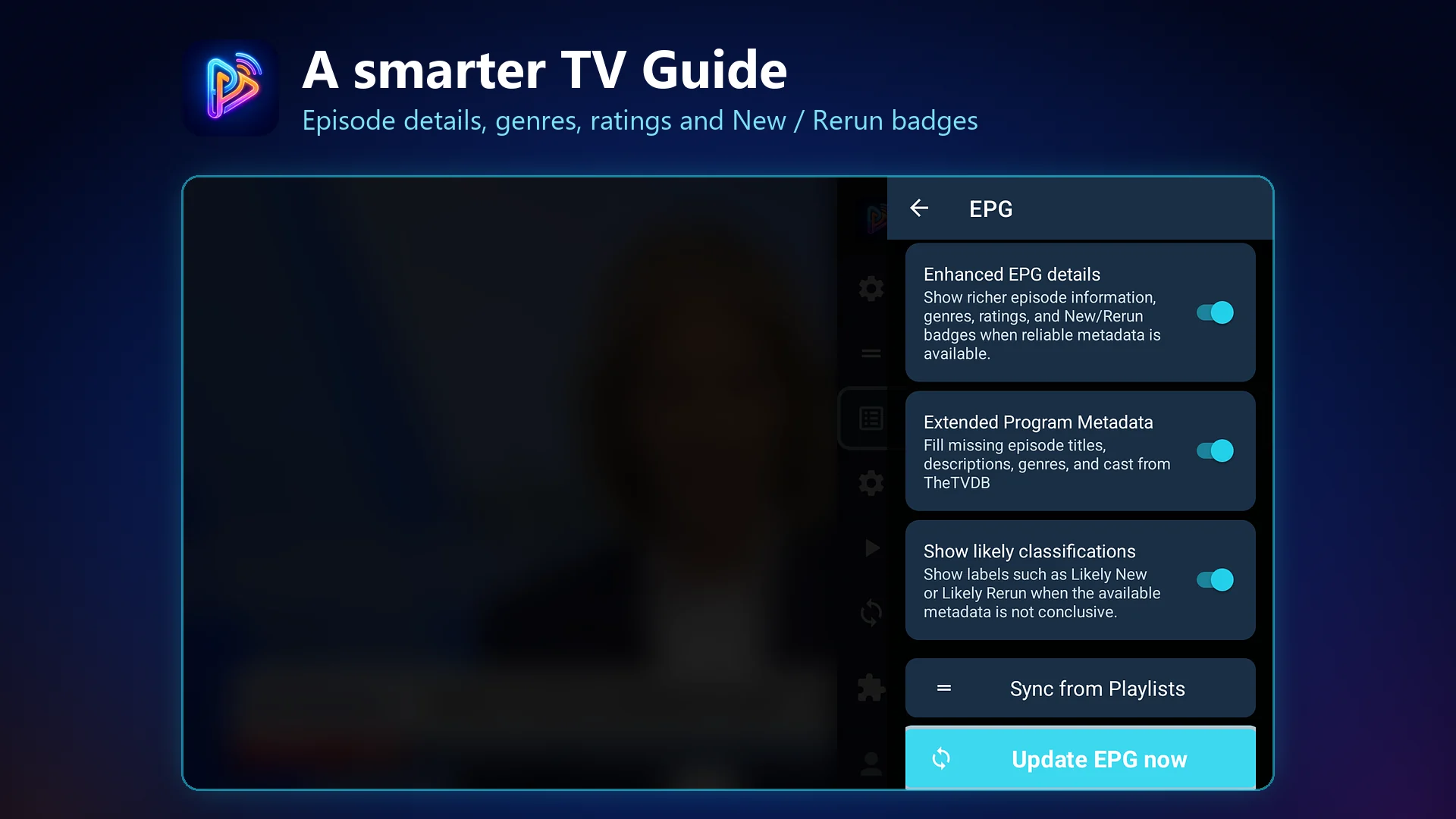
Preview/Half Guide and full EPG views for browsing channels and program data from your source.
Fast Channel Navigation
Channel switching, channel strip labels, and playlist/source context for supported streams.
Multiple Playlists
Manage more than one playlist or provider source, with Favorites and category controls.
Subtitle and Caption Control
Global and per-channel subtitle/caption settings for compatible live and on-demand streams.
EPG Sync Improvements
First-run bootstrap and scheduled sync improvements help guide data arrive more predictably. Refreshing one playlist updates only that playlist’s linked guide.
Playback Recovery
Recovery paths for frozen video/audio, audio-only stalls, dead providers, and loading traps.
Provider Error Handling
Clearer stream-host and provider error handling when a source fails or returns bad data.
Support & Diagnostics
Screenshot-friendly diagnostics summarize app, device, playlist, channel, playback, and sync details — and can be sent as a report with a PF report ID when you choose to.
Subscription Visibility
Settings and Account Center surfaces show subscription status and entitlement details.
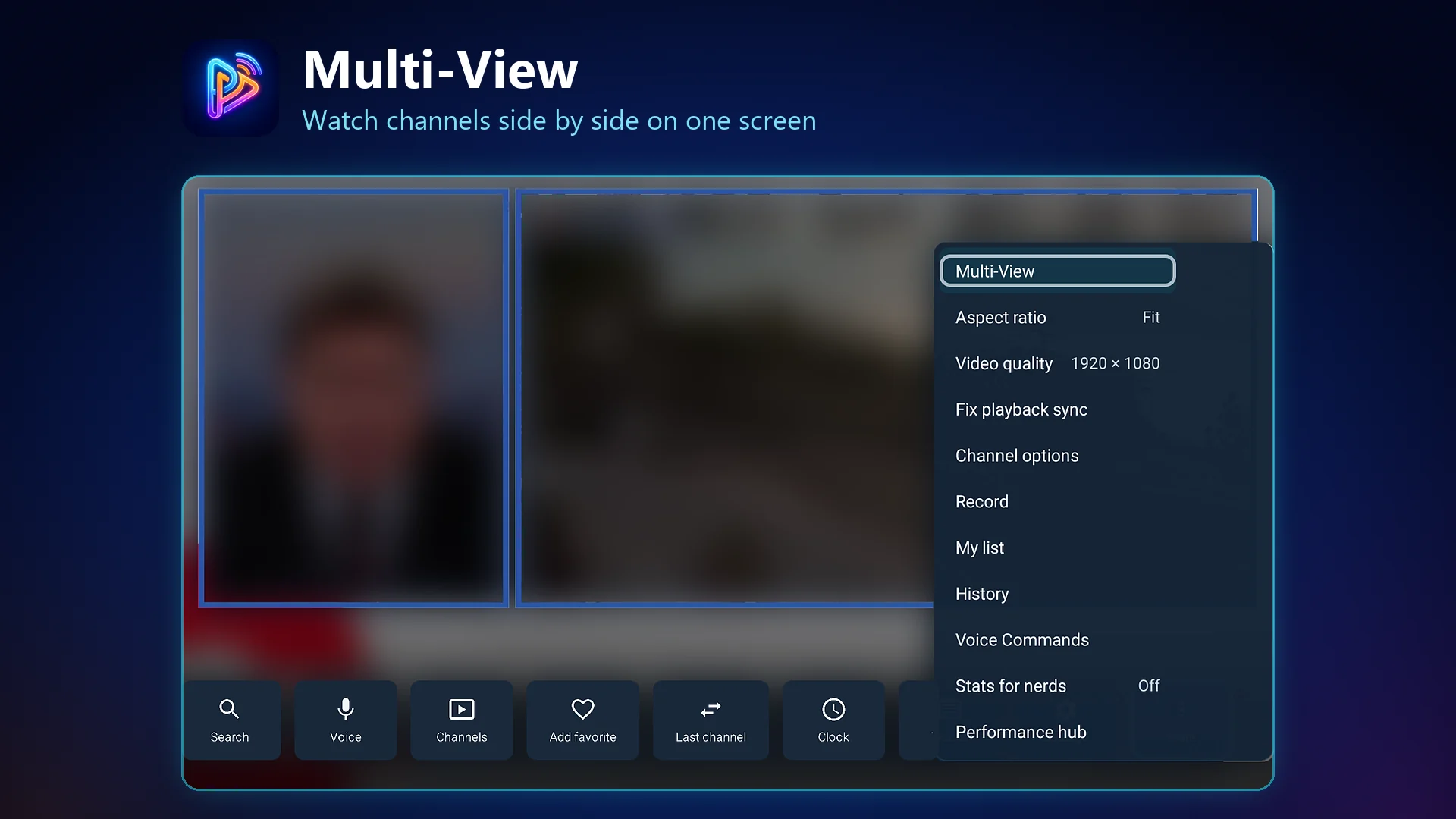
MultiView
MultiView is supported where the device, provider, and streams can handle simultaneous playback.
Explore All Features
The full rundown — Live TV, TV Guide and EPG, Movies and Series, Radio, audio and captions, playback and Auto Frame Rate, Catch-up, Recording, MultiView, search and voice, customization, profiles, backup and sync, Web Admin, Stats for Nerds, and exactly what PureFusionIPTV does not do.
Supported Sources
Bring your own legally accessible playlist or provider.
PureFusionIPTV can connect to common source formats used by IPTV player apps. Provider-specific behavior can vary depending on how the provider exposes its portal, API, playlist, and EPG data.
Supported sources
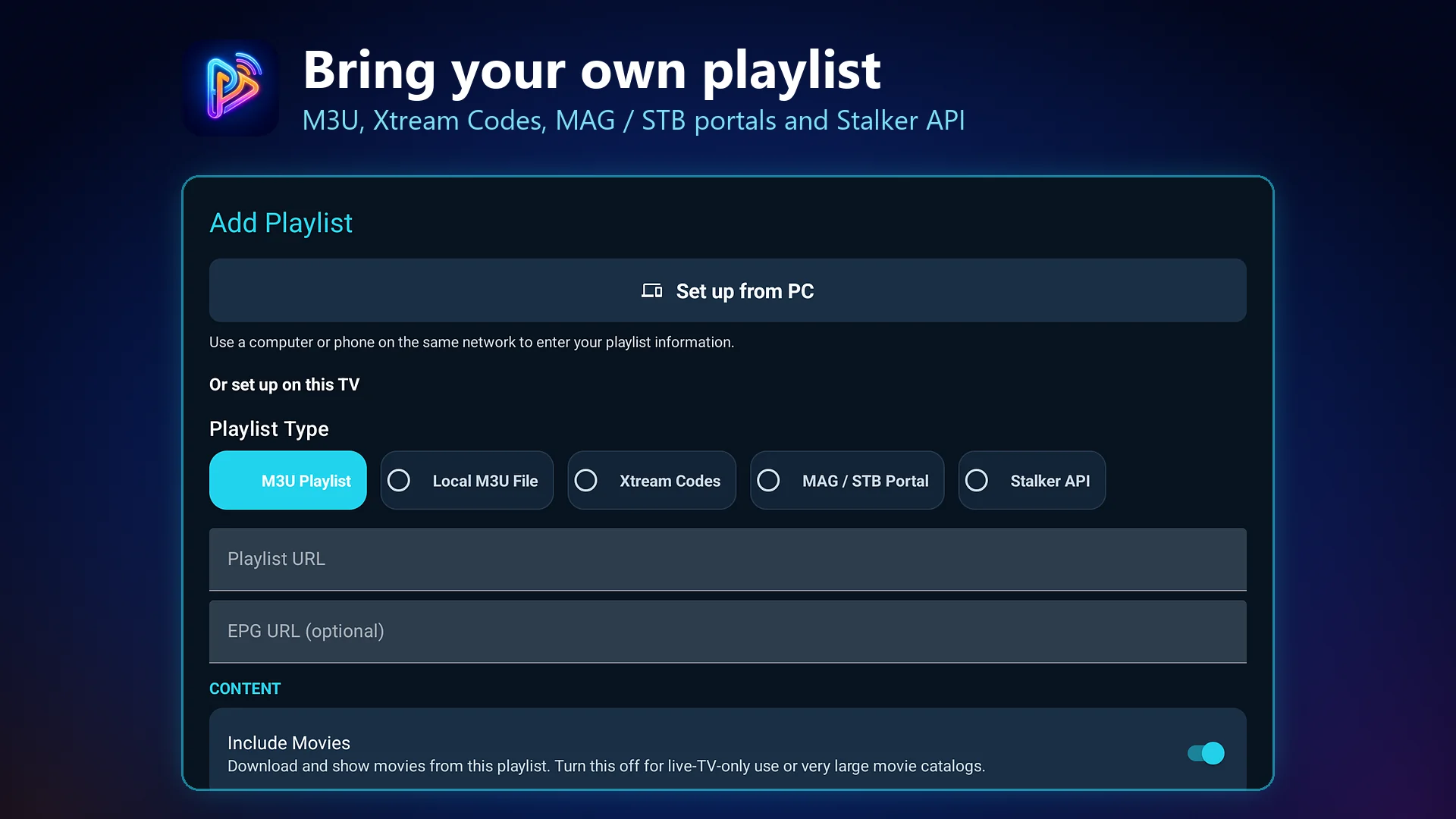
- M3U and M3U8 playlists
- Xtream Codes support
- MAG / STB Portal, with improved compatibility including IPTVEditor
- Stalker API, separate from MAG / STB Portal
- XMLTV EPG
PureFusionIPTV does not sell, bundle, host, stream, or recommend playlist/provider services.
Release Roadmap
Open Beta now, stabilization next, full release planned.
The 2.0 Beta line is distributed through Google Play Open Testing; check the listing for the build currently offered. Google rolls releases out gradually, so it may reach testers at different times. Closed beta is complete. The full public release is planned for January 6, 2027.
Closed Beta — Invite Only
Invite-only real-device validation, feedback, and launch-readiness checks. This milestone is complete.
Open Beta — Google Play Open Testing
The current Play beta is open to anyone eligible through Google Play Open Testing — no invite required. Google Play rolls it out gradually, so it may not appear for every tester at once.
Open-Beta Stabilization
Compatibility testing across more devices, providers, playlists, and EPG feeds, with follow-up beta releases as issues are reported and fixed.
Full Public Release
Planned for January 6, 2027, with timing still dependent on validation results.
Plugins Roadmap
Plugin integrations are planned, not available today.
PureFusionIPTV is being prepared for future plugin extensions, including Emby and Google Drive plugins. Native Google Drive backup is separate: configured builds expose encrypted backup after entitlement/authorization checks; unconfigured builds remain unavailable Preview. Production OAuth approval and real-account acceptance are unverified.
Future integrations
- Emby plugin support is planned/in development.
- Google Drive plugin support is planned/in development.
- Plugin availability will depend on review, compatibility, and release readiness.
The current app remains a media player for user-provided, legally authorized sources.
Screenshots
See the current interface.
Open the screenshot gallery for Android TV settings, guide, playback, and companion-mode captures.
Android TV UI
Settings, guide, playlist management, and playback screens captured from TV-oriented layouts.
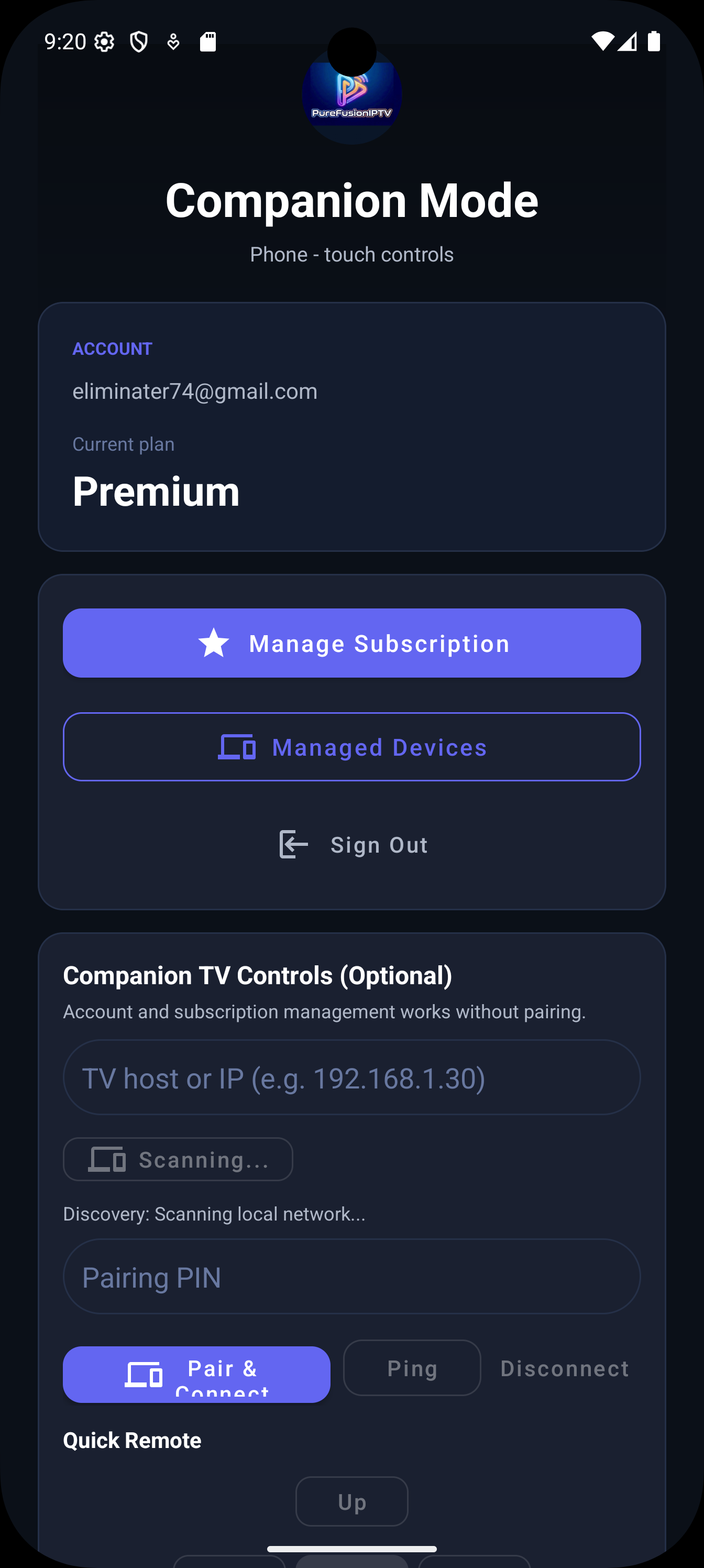
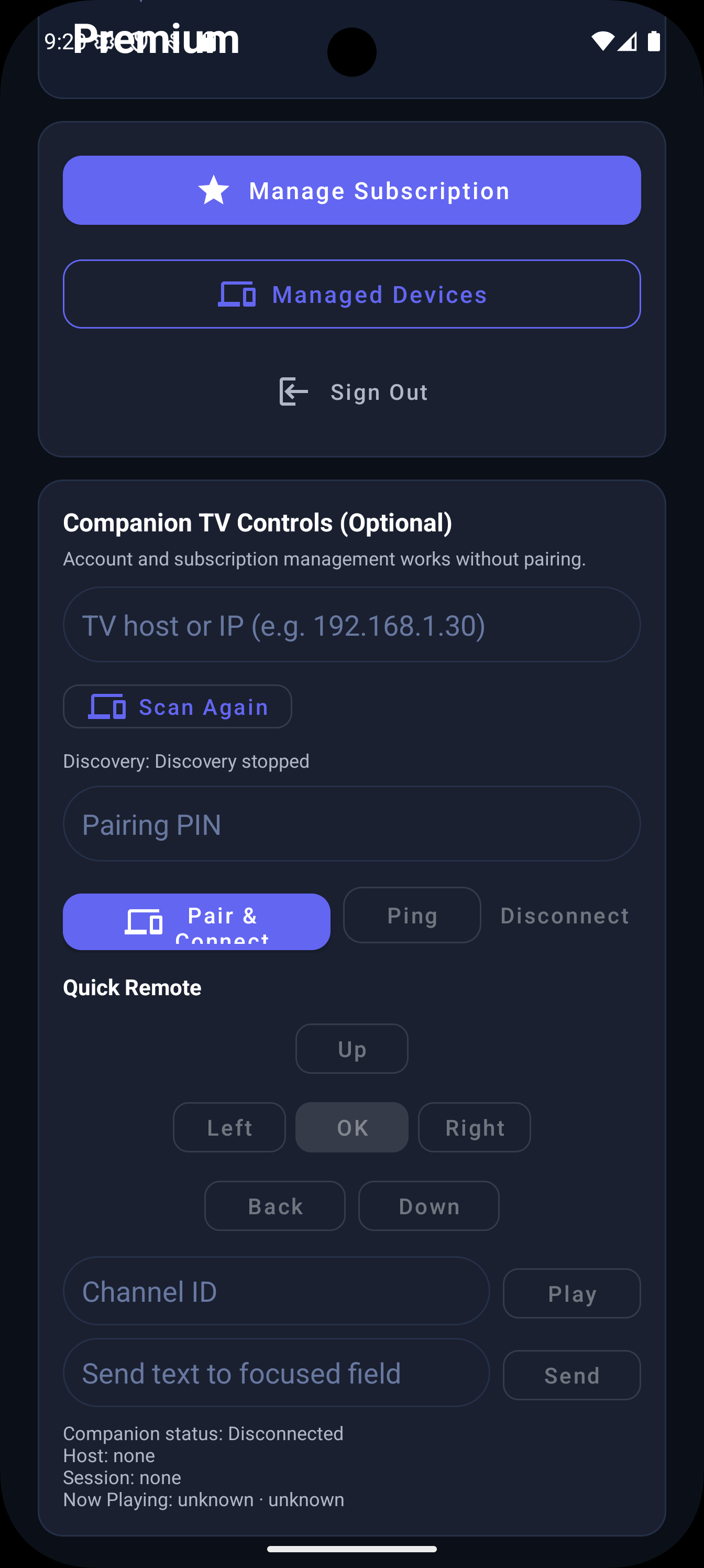
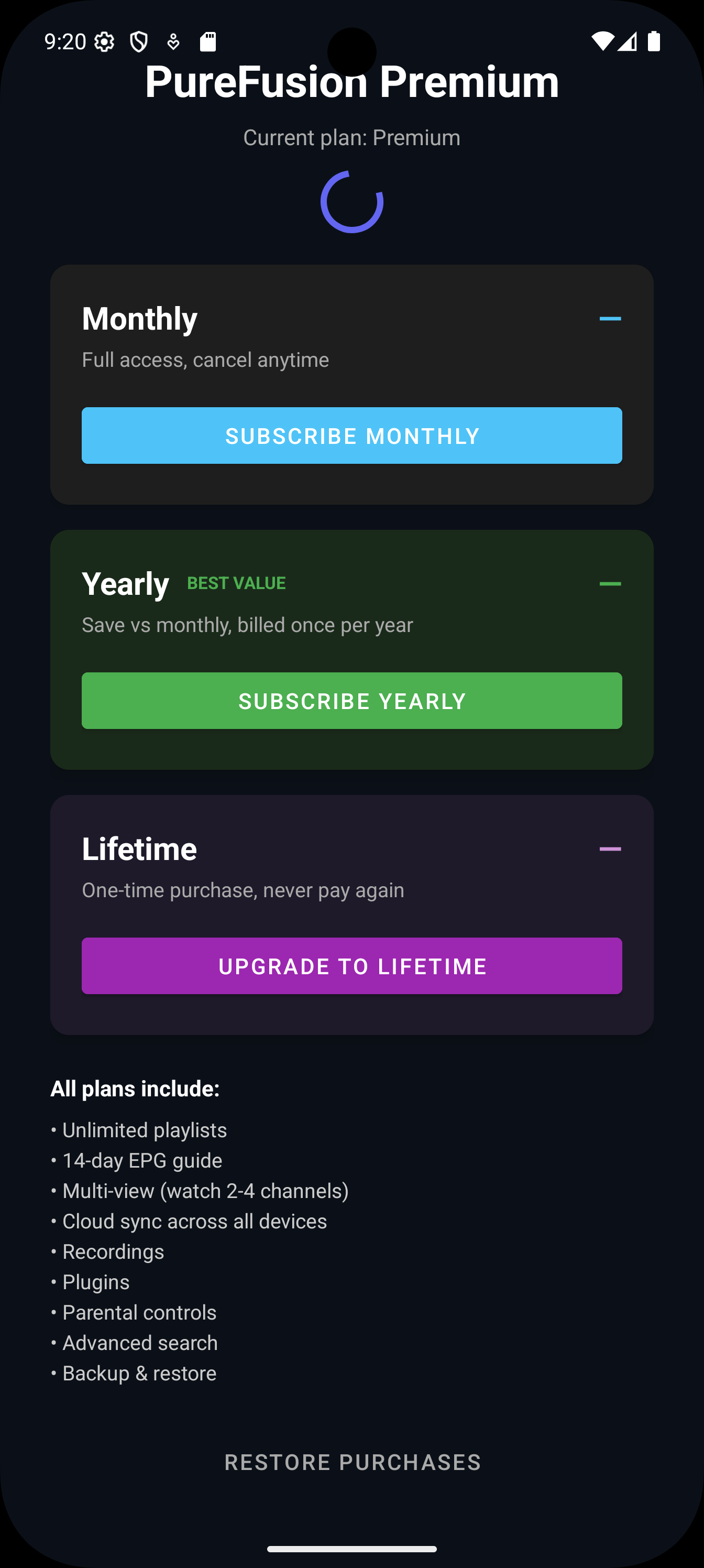
Companion Mode
Phone companion screens for account and remote-control related flows.

Downloads
Install through Google Play Open Testing.
PureFusionIPTV is distributed through Google Play. Open Testing is open to anyone eligible through Google Play — no invite and no approval step. Check the Google Play listing for the build currently offered. Google rolls each build out gradually.
Google Play Open Beta
Google Play is the install, testing, and purchase path for supported Android TV, Google TV, NVIDIA Shield, and Android mobile devices.
If the current build is not visible yet, Google's rollout may still be processing. It can take some time to appear for every tester, and it remains subject to Google Play device and country availability.
Join the Open Beta Open to Everyone
Use the Google Play Open Testing page to join the Open Beta and receive open-beta releases. No invitation is needed — opt in with your Google account, then install from Google Play as usual.
See the Beta Access section above for what Open Beta covers and how to report issues.
Future APK / Sideload Coming Soon
No APK downloads are currently offered on this page. If official sideload builds are published later, this area can show the version number, release date, file size, checksum, and changelog link.
- Version: Coming soon
- Release date: Coming soon
- File size: Coming soon
- Checksum: Coming soon
- Changelog: Coming soon
Only download PureFusionIPTV from the official website or official app store links.
Pricing
Simple app pricing, separate from any provider service.
PureFusionIPTV has Free, Premium Monthly, Premium Yearly, and Lifetime tiers. Pricing covers the player app only and never includes channels, playlists, IPTV service, movies, TV shows, streams, or provider credentials.
During Open Beta: purchases and subscriptions are handled by Google Play
for anyone who has joined the Open Beta, subject to Google Play device and country
availability. Purchases cover the player app only and never include channels, playlists,
IPTV service, movies, TV shows, streams, or provider credentials.
Free
$0
Try PureFusionIPTV with basic limits.
- Bring your own playlist/provider
- Basic player setup, favorites and one registered device
- Basic manual local backup and restore
- Google Play purchase optional
Premium Monthly
$2.99 / month
$2.99/month.
- Full premium features while subscribed
- Eligible users may receive a 7-day free trial
- Then renews at the current Google Play price unless cancelled
Premium Yearly
$11.99 / year
$11.99/year.
- Better value for regular users
- Eligible users may receive a 7-day free trial
- Then renews at the current Google Play price unless cancelled
Lifetime
$29.99 one-time
$29.99 one-time.
- No recurring billing
- No subscription free trial
- For long-term home setups
Final prices are shown in Google Play before purchase and may vary by country, taxes, and promotions.
Device Support
Built for TV first, with Android mobile where applicable.
Android TV and Google TV are the primary targets. Fire TV and Android mobile support depend on device compatibility, distribution, and feature availability.
Primary targets
- Chromecast with Google TV
- Android TV smart TVs and boxes
- NVIDIA Shield TV
- Google TV devices
- Android mobile where supported
Fire TV note
Fire TV may work on compatible devices, but availability depends on distribution. If PureFusionIPTV is not distributed through Amazon, Fire TV users may need to sideload where legally permitted.
About Developer
Developed by Eliminater74.
PureFusionIPTV is developed by Eliminater74. You can view the developer profile and other public projects on GitHub.
Developer GitHub Profile
Follow Eliminater74 on GitHub for developer background and other public projects. PureFusionIPTV itself is closed source.
PureFusionIPTV is closed source; this link is for the developer profile and public projects.
Support
Report a problem straight from your TV.
On the TV, open Settings > Features & Tools > Support & Diagnostics and choose Report a Problem. Nothing is sent until you choose to send it, and a successful report gives you a PF report ID to quote in Discord or email.
What to include
- Your PF report ID, if you sent a report
- App version and build
- TV/device model and Android version
- Playlist type and affected channel name
- What happened and what you expected
Reports are designed to hide passwords, tokens, and full playlist or stream addresses. The optional description box is included as typed, so do not paste provider passwords or addresses containing credentials. If sending a report is not appropriate, use Copy Diagnostics or photograph the diagnostics screen instead.
See the Privacy Policy for what a report contains and how long it is kept.
FAQ
Common launch questions.
PureFusionIPTV is a player app only. It does not provide channels, IPTV service, playlists, streams, movies, TV shows, or provider credentials. Users must provide their own legal playlist/provider.
Why does Google Play say the app is unavailable?
Check the Google Play listing for the build currently offered. Google rolls each build out gradually, so the listing can take some time to appear and availability can vary temporarily. Availability is also subject to Google Play device and country support. No invitation or approval is required — if the page is not live for you yet, try again a little later.
Can I download Beta-31 yet?
Yes. Beta-31 (Build 85) has been released to Google Play Open Testing. Availability may vary during rollout; check Google Play for the build offered to your device. See the release notes.
What does Open Beta mean?
Open Beta means anyone eligible through Google Play Open Testing can participate without being individually invited, subject to Google Play device and country availability. It is a wider test stage before the full production release, so the app may still contain bugs. Please report anything you find through the built-in Support & Diagnostics tools or in Discord.
Does PureFusionIPTV include channels?
No. PureFusionIPTV is a player app only. It does not provide channels, IPTV service, playlists, streams, movies, TV shows, or provider credentials.
What playlist types are supported?
Supported sources include M3U playlists, Xtream Codes API, MAG / STB Portal, Stalker API, and XMLTV EPG. MAG / STB Portal and Stalker API are separate source types. Recent beta work improves MAG / STB compatibility, including IPTVEditor. Not every portal is supported.
Do I need my own IPTV provider?
Yes. You must provide your own legal playlist/provider. PureFusionIPTV does not sell, host, bundle, or recommend provider services.
Does PureFusionIPTV support Stalker?
PureFusionIPTV supports two separate source types: MAG / STB Portal, and Stalker API. Recent beta work improves MAG / STB portal compatibility, including IPTVEditor live and movie playback from the portal’s own stream commands. Standard MAG / STB behavior remains separate from IPTVEditor. Compatibility still depends on your provider, and not every portal is supported. If yours fails, send a report from Settings › Support & Diagnostics and share the PF report ID.
How do I report a bug?
On the TV, open Settings › Features & Tools › Support & Diagnostics and choose Report a Problem. You can add an optional description, and a successful report shows a PF report ID you can copy and quote in Discord or email. Nothing is sent unless you choose to send it.
What is in a diagnostic report?
Technical details only: app version and build, Android version, device model, the diagnostic details of the problem, a short record of recent app activity, and anything you type in the optional description box. Reports are designed to exclude playlist and stream addresses, usernames, passwords, tokens, API keys, and MAC addresses, and they are deleted 14 days after they are received. See the Privacy Policy for the full description.
How are purchases handled?
Purchases and subscriptions are handled through Google Play and are available to anyone who has joined the Open Beta, subject to Google Play device and country availability. Final prices are shown in Google Play before purchase and may vary by country, taxes, and promotions. A purchase covers the player app only — it never includes channels, playlists, IPTV service, movies, TV shows, streams, or provider credentials.
When is the public beta?
Yes. PureFusionIPTV is in Open Beta now, through Google Play Open Testing. Check the listing for the currently offered build; Google rolls releases out gradually to testers. Open Beta is not the final production release — the full public release is planned for January 6, 2027. Announcements are posted in the Discord community.
Are plugins available now?
No. Plugin integrations are planned/in development. Future integrations may include Emby and Google Drive support.
How do I cancel or manage a subscription?
Use Google Play subscriptions to cancel, renew, or manage billing. The website does not process checkout directly.
Does it work on Fire TV?
Android TV and Google TV are primary. Fire TV may require sideloading if PureFusionIPTV is not distributed through Amazon.
What is FastZap?
FastZap is a channel switching and smart playback feature intended to reduce waiting on supported devices and compatible sources.
Why do some features depend on provider support?
Provider APIs, portals, playlists, EPG feeds, catchup formats, and stream behavior vary. PureFusionIPTV can only use data and capabilities exposed by your legal source.
How do I delete my account?
Open the Account Center or the Account Deletion page for instructions. Account deletion is separate from Google Play subscription cancellation.
Legal and Support
Important links stay visible.
Review policies, billing help, account deletion instructions, and support contact options before public launch.
Privacy Policy
How account, entitlement, and diagnostic data is handled.
Terms of Service
Usage terms, billing scope, and user responsibilities.
Account Deletion
Steps for deleting your account and understanding what remains.
Billing Help
Google Play billing and subscription management guidance.
Discord Support
Join the PureFusionIPTV Discord for support, beta feedback, tester discussion, and updates.
Legal Center
All policies in one place, including acceptable use and cookies.
Contact Support
Send support and policy questions by email.